
NutHouse :: The Game Maker · Play online
Make your own games.
For real.
Draw your characters, build the levels and write the rules that make them play. NutHouse turns “I wish I could make a game” into a game you made.

 Ballcollides with
 Brick
- Free
- No account needed
- Nothing to install
- Your games are yours to keep
01 Play one now
Fourteen real games. All made in NutHouse.
Every one of these is a normal NutHouse game, exported as a single web page. Use the arrow keys, Space to jump, fire or open doors. On a phone or iPad, touch buttons appear. Then open it in NutHouse and change the rules, or play them all in the Arcade with high scores and stars.
02 How it works
Draw. Build. Rules. Play.
Four steps, and you have a game. NutHouse copies the way the classic game makers worked, so the ideas you learn are real programming ideas: conditions, actions, values and loops.
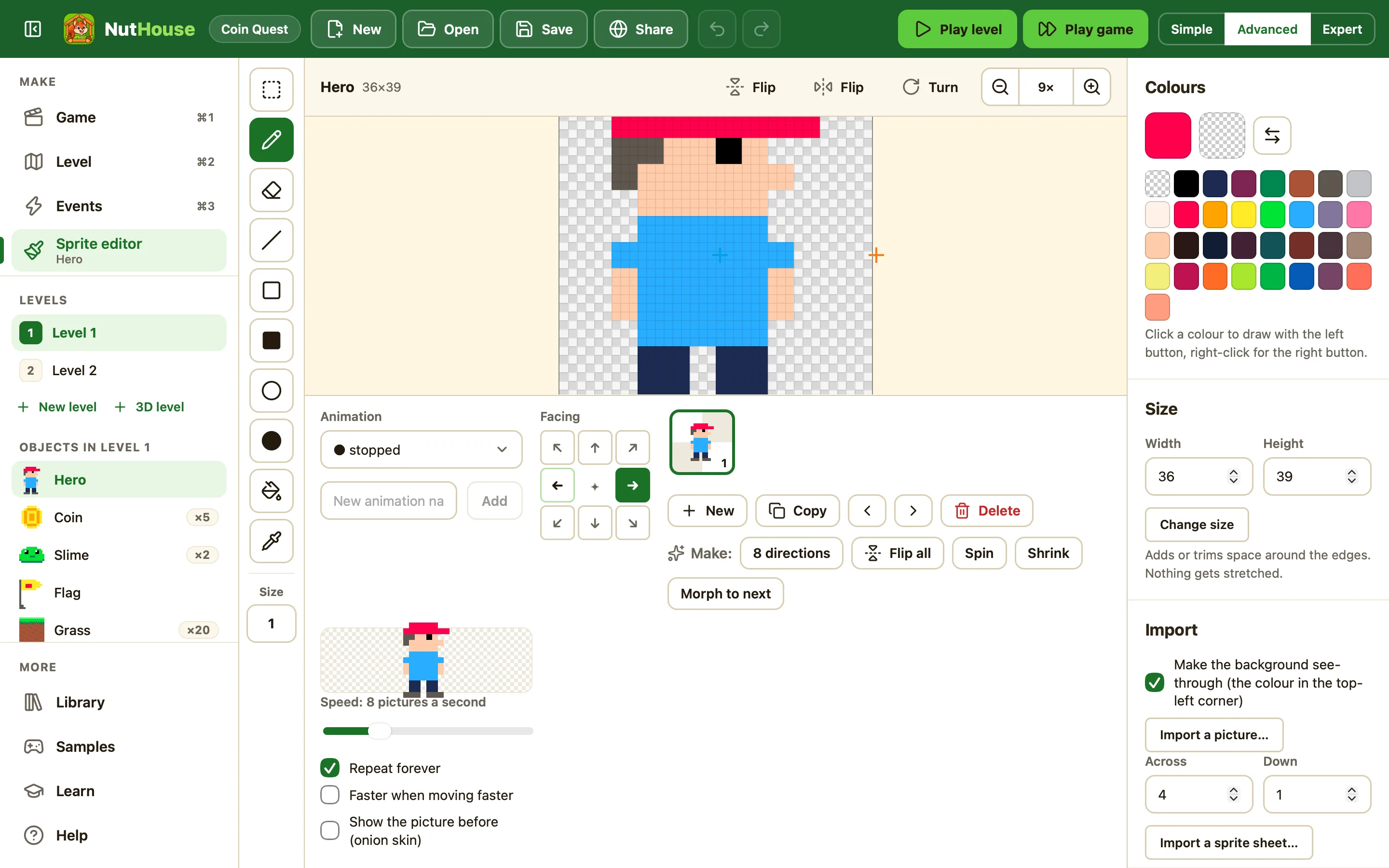
Draw your sprites
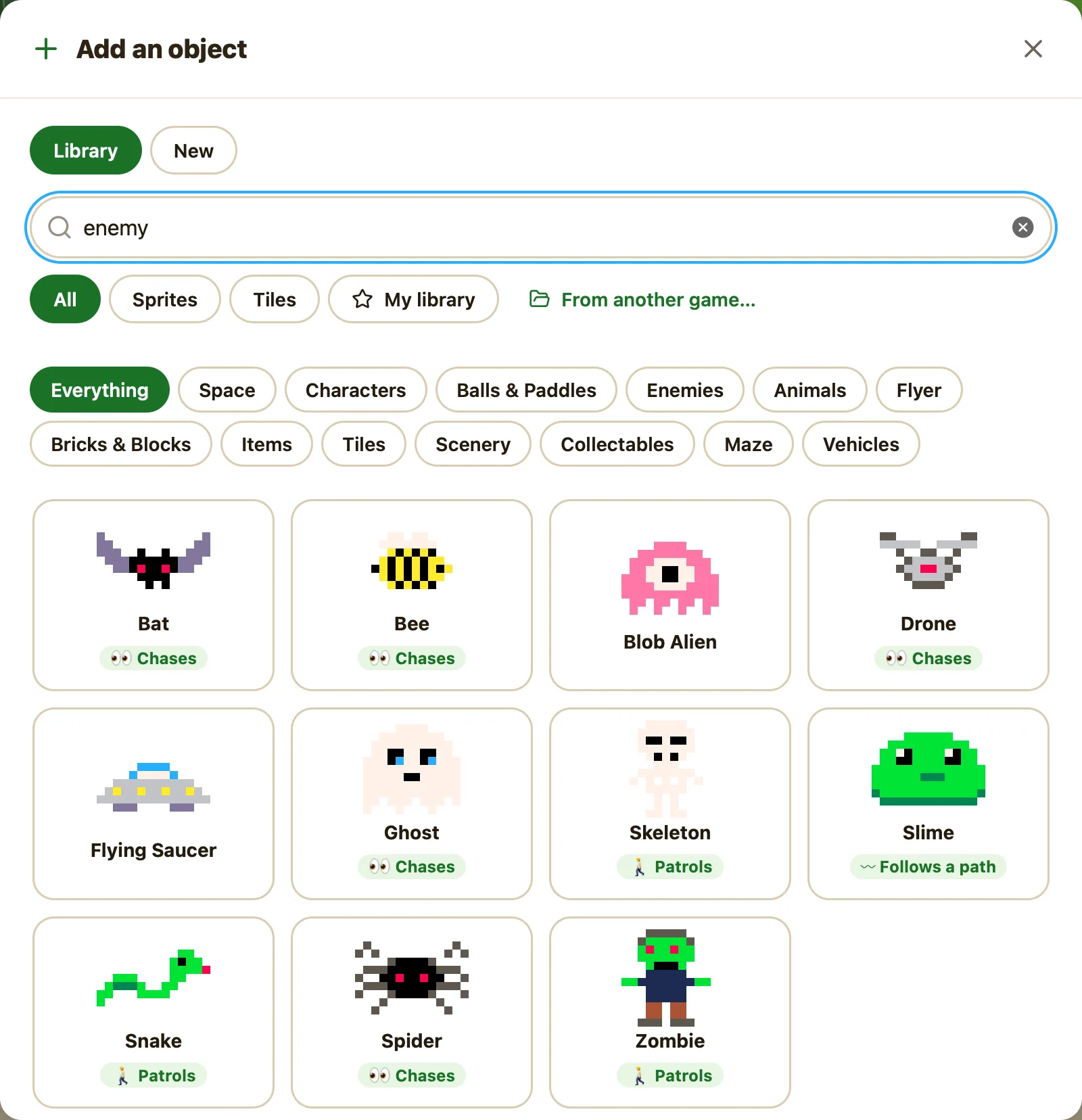
Pixel by pixel in the sprite editor, or pick from 103 ready-made characters, animals, enemies, coins, vehicles and tiles. Give them animations: walking, jumping, exploding.
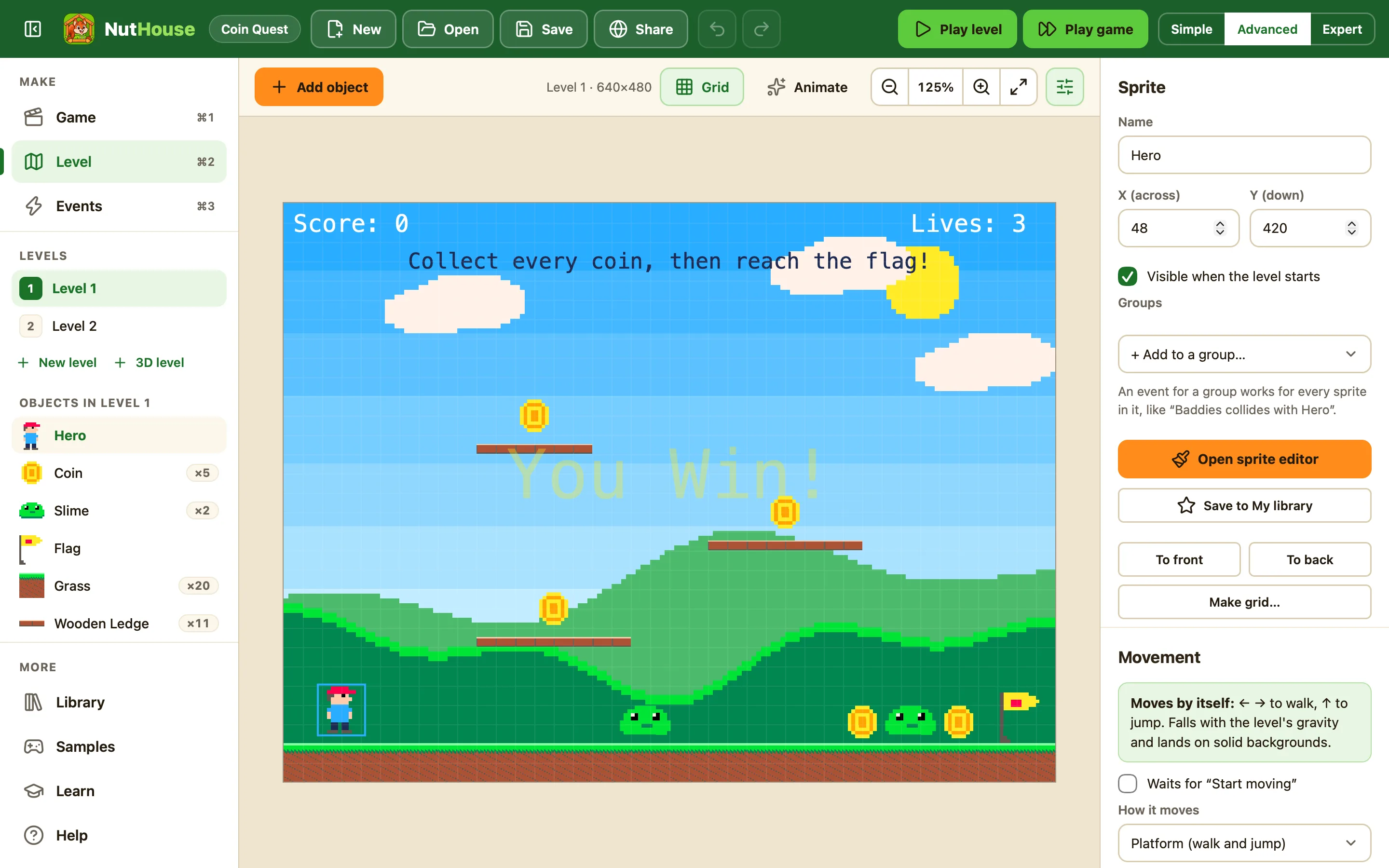
Build your levels
Drag sprites onto the level. Pick a background, set gravity, make walls solid, jump-through or ladders. Make it bigger than the screen so it scrolls, or paint a 3D maze. Add as many levels as you like.
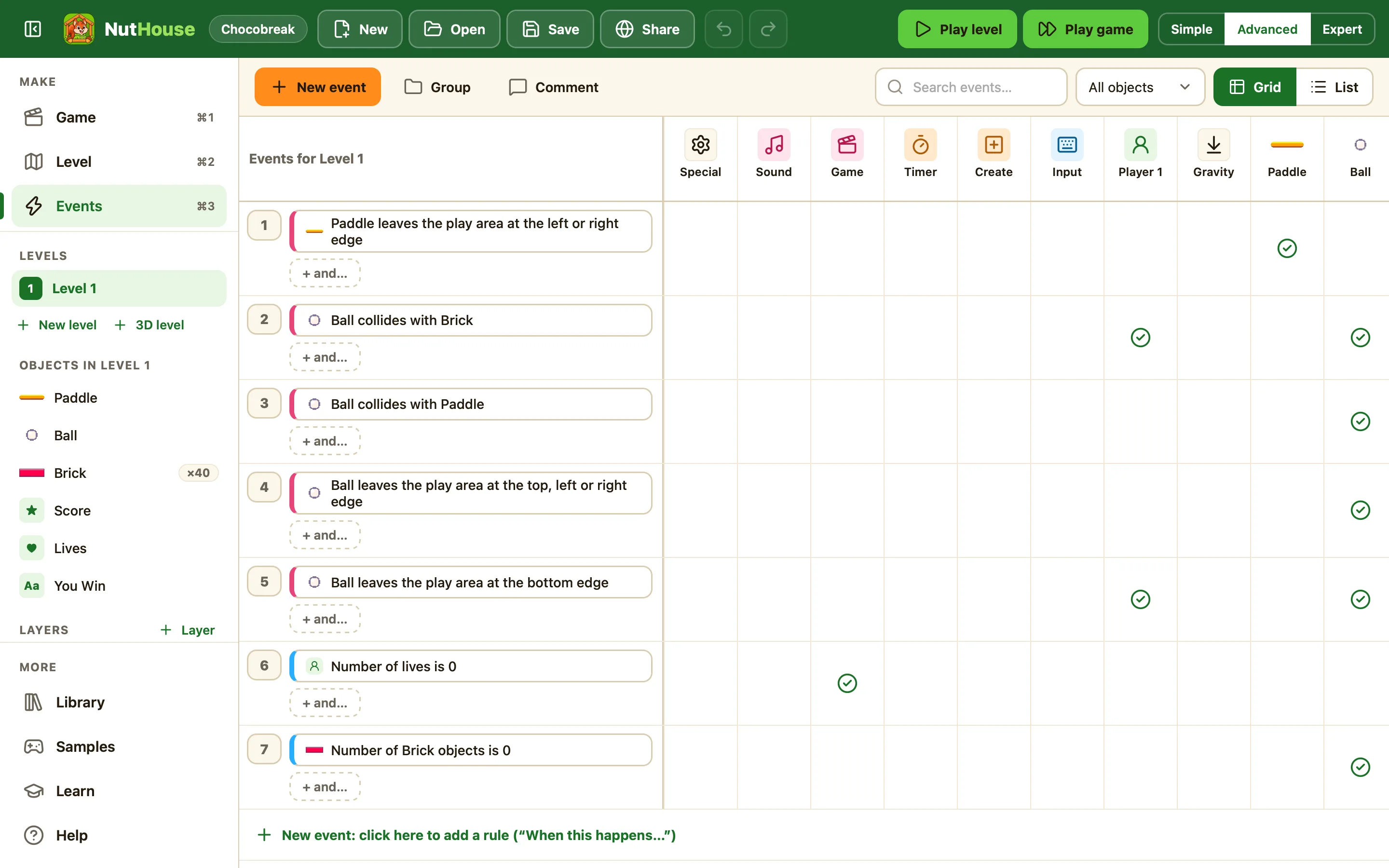
Write the rules
Rules read like sentences: When the Ball collides with a Brick, destroy the Brick and bounce the Ball. Pick them from a grid. No typing, no syntax errors.
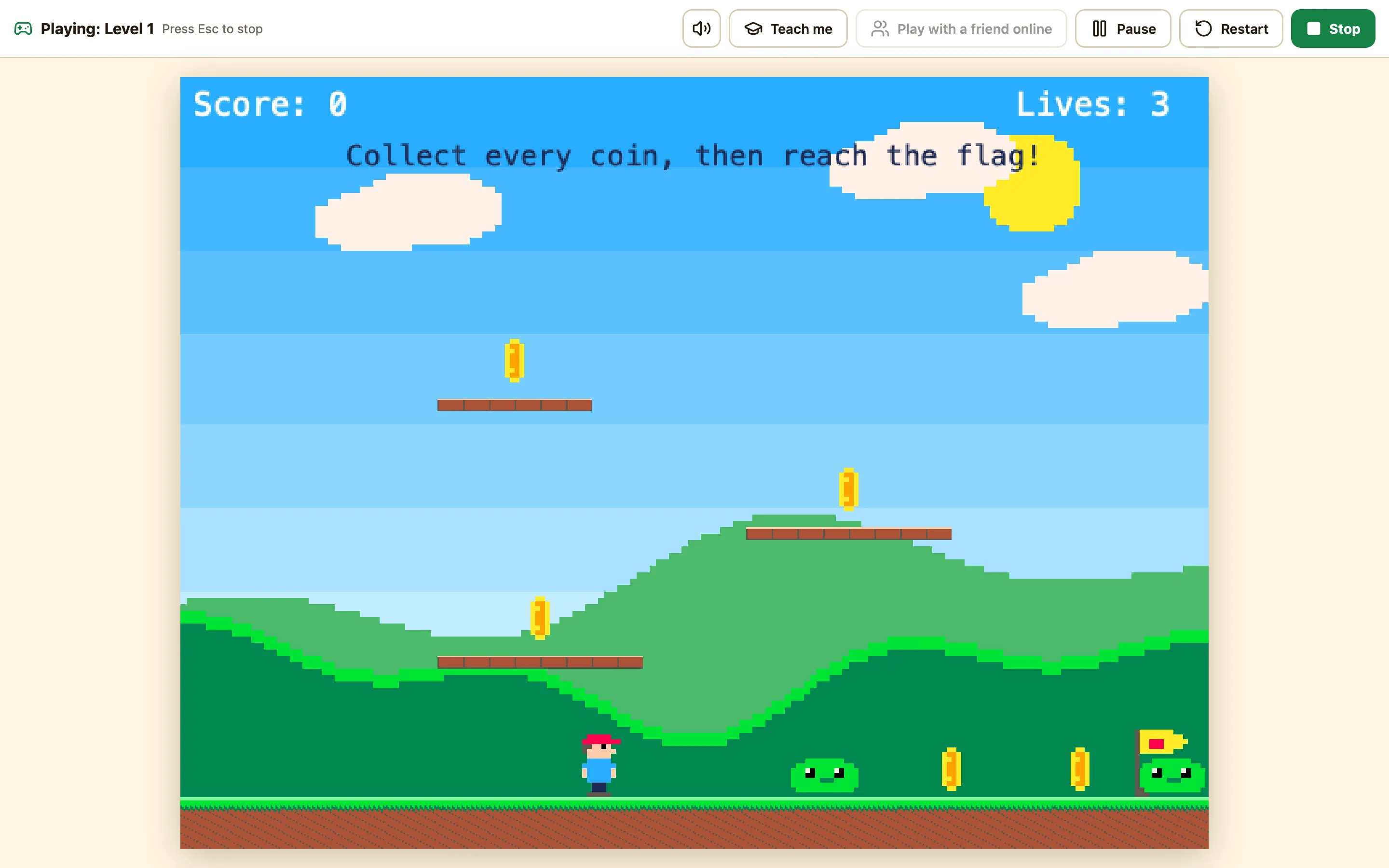
Press Play
Your game runs right away. Change a rule, press Play again. Everything can be undone with ⌘Z.

03 The real editor
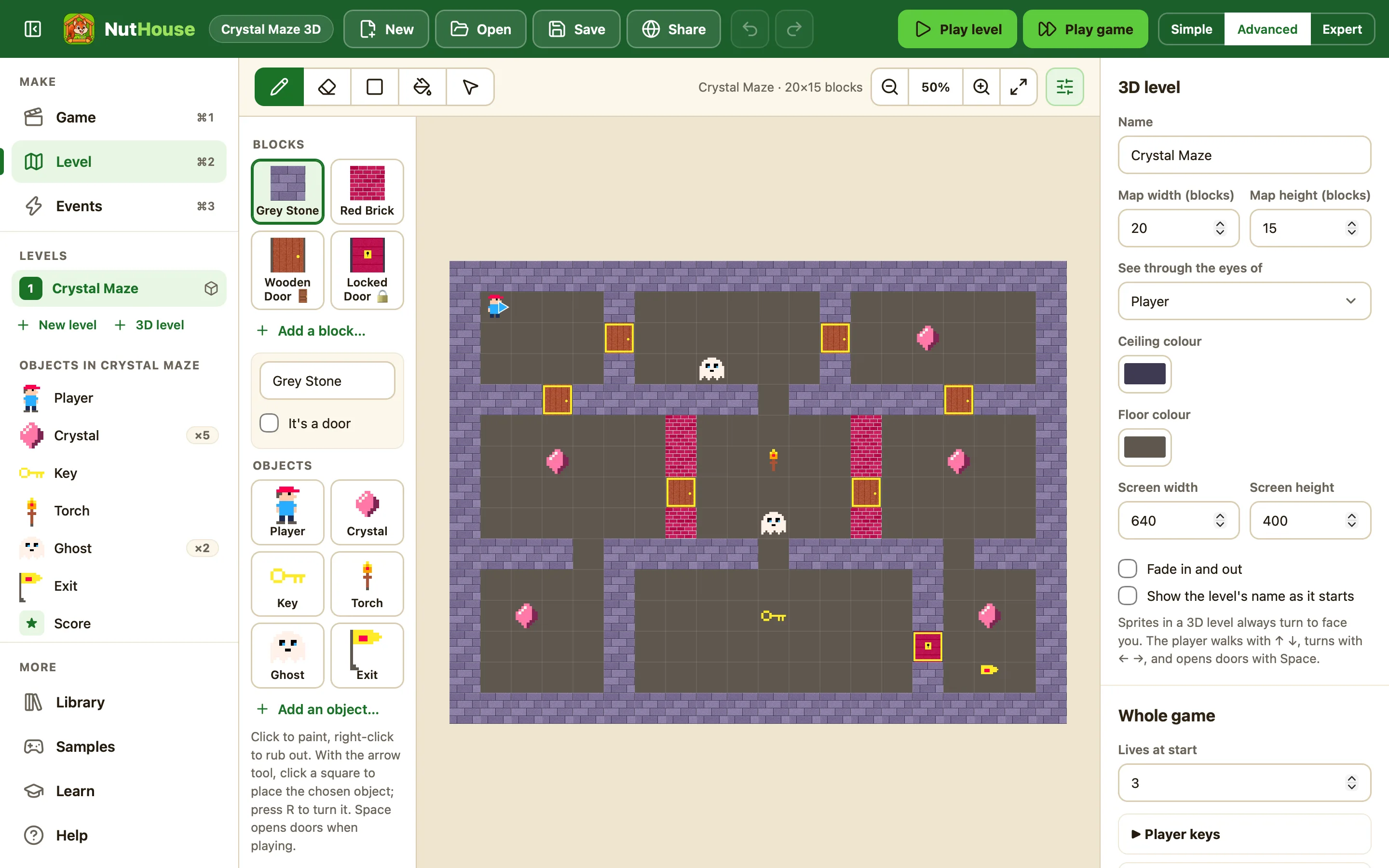
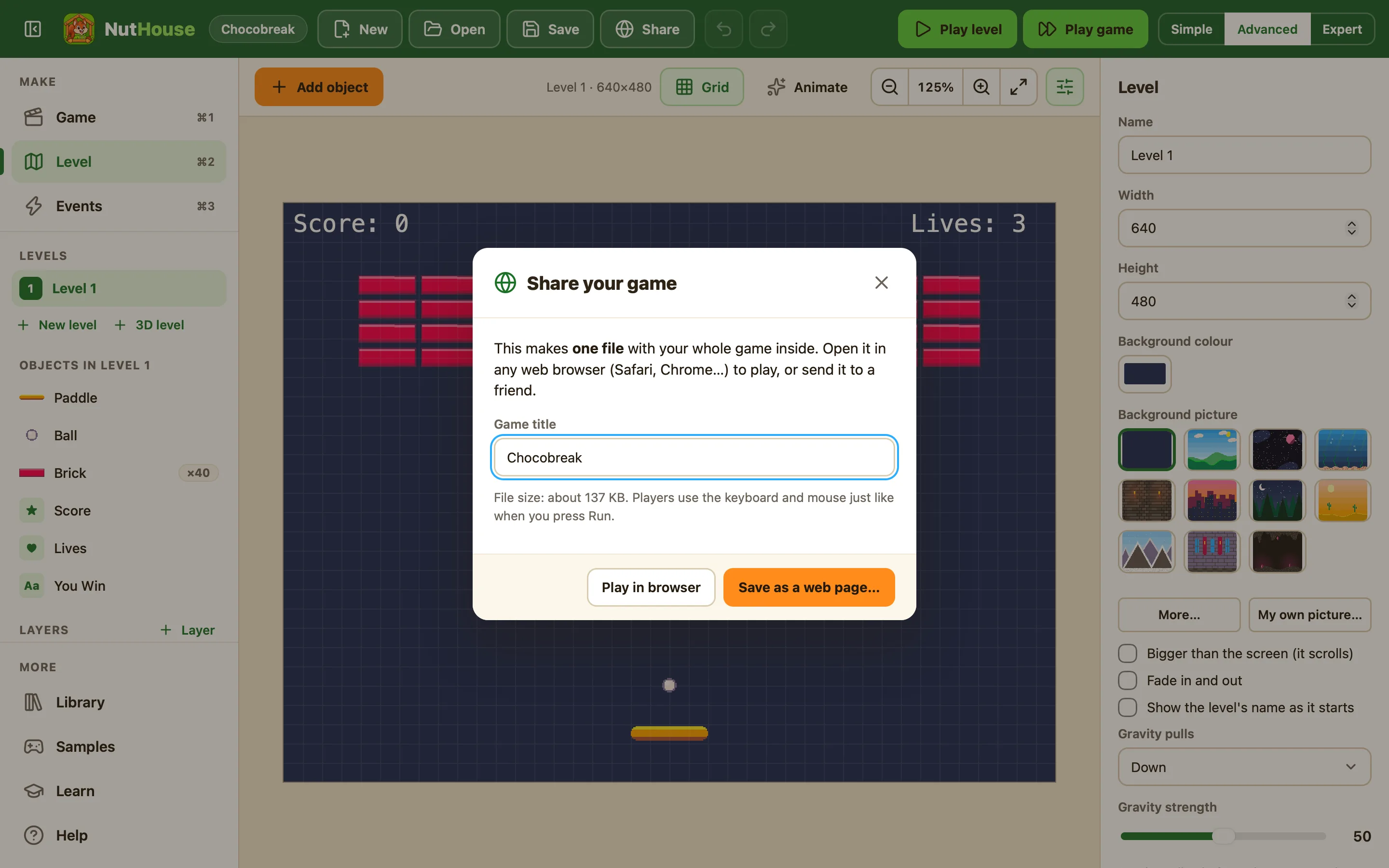
These are real screens, not mock-ups.
Every picture here was taken from NutHouse itself. What you see is what you get, in light and dark.
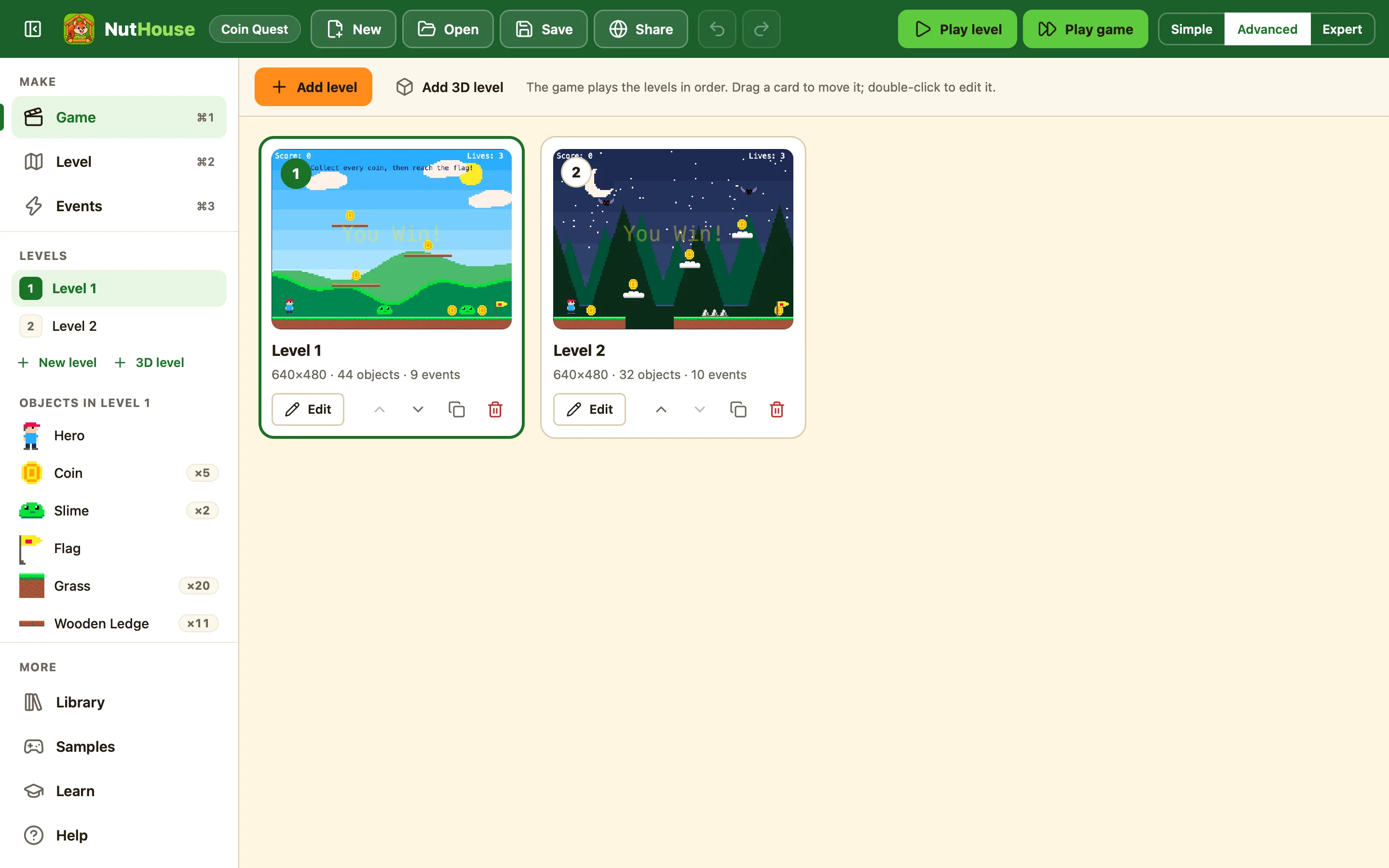
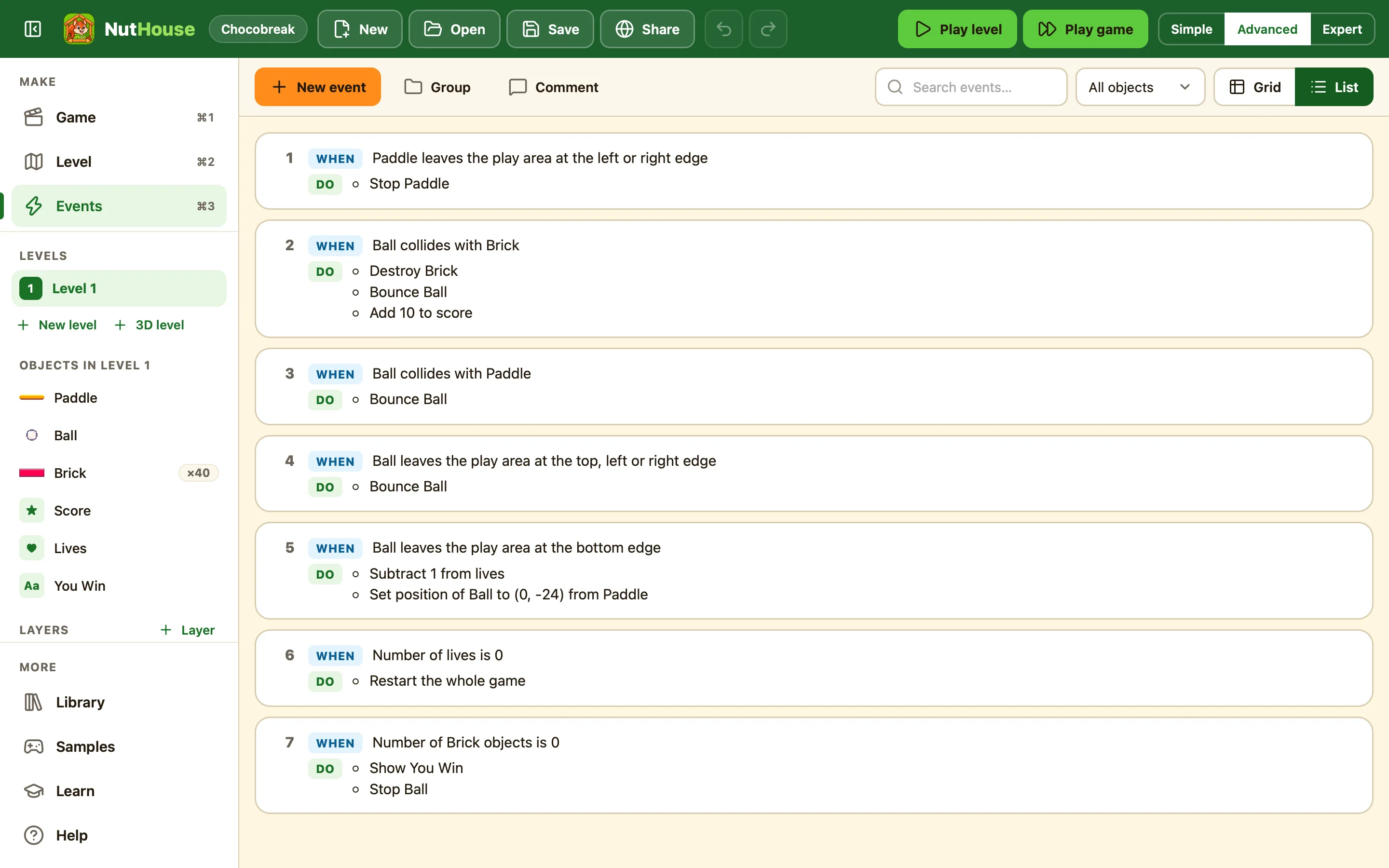
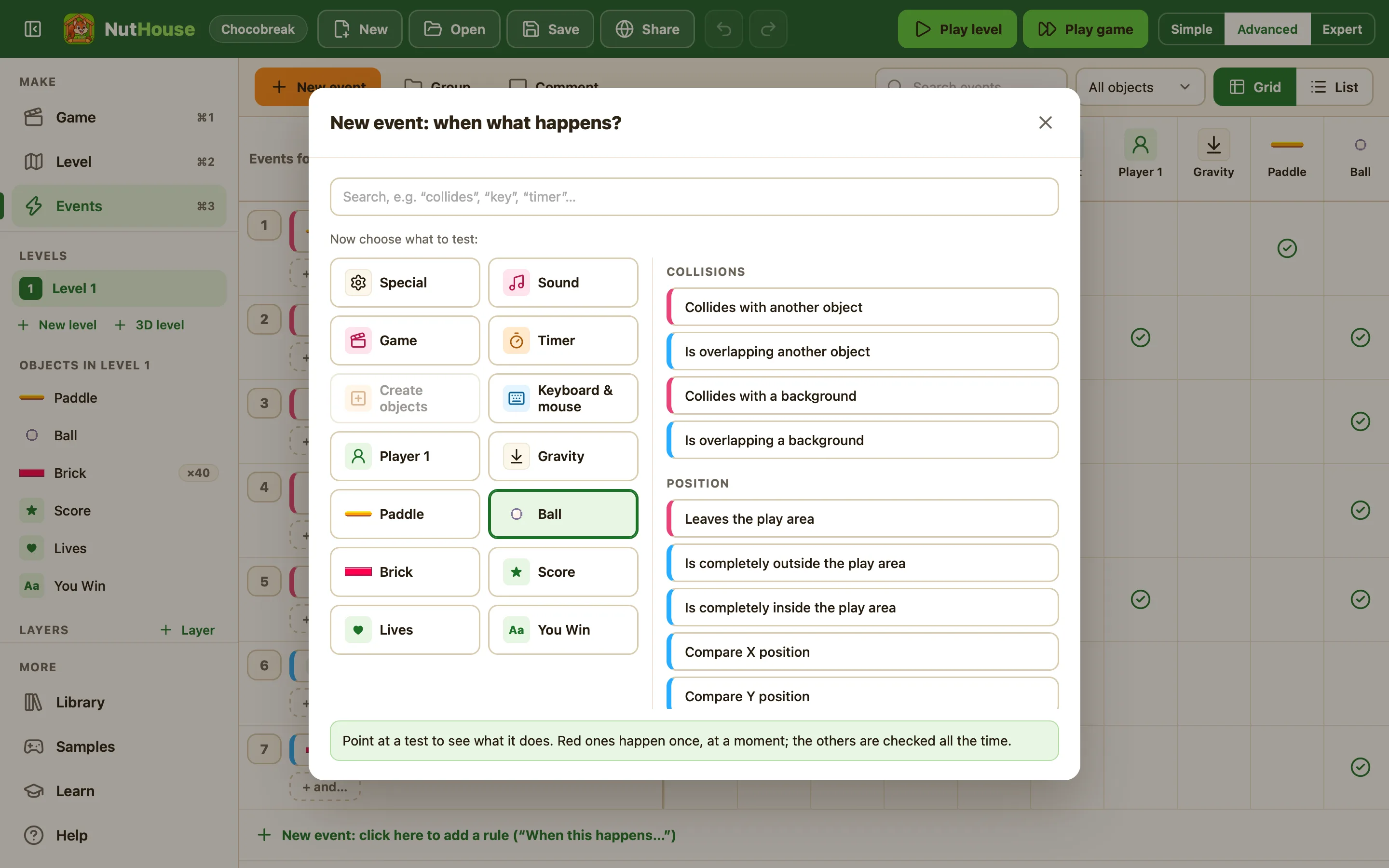
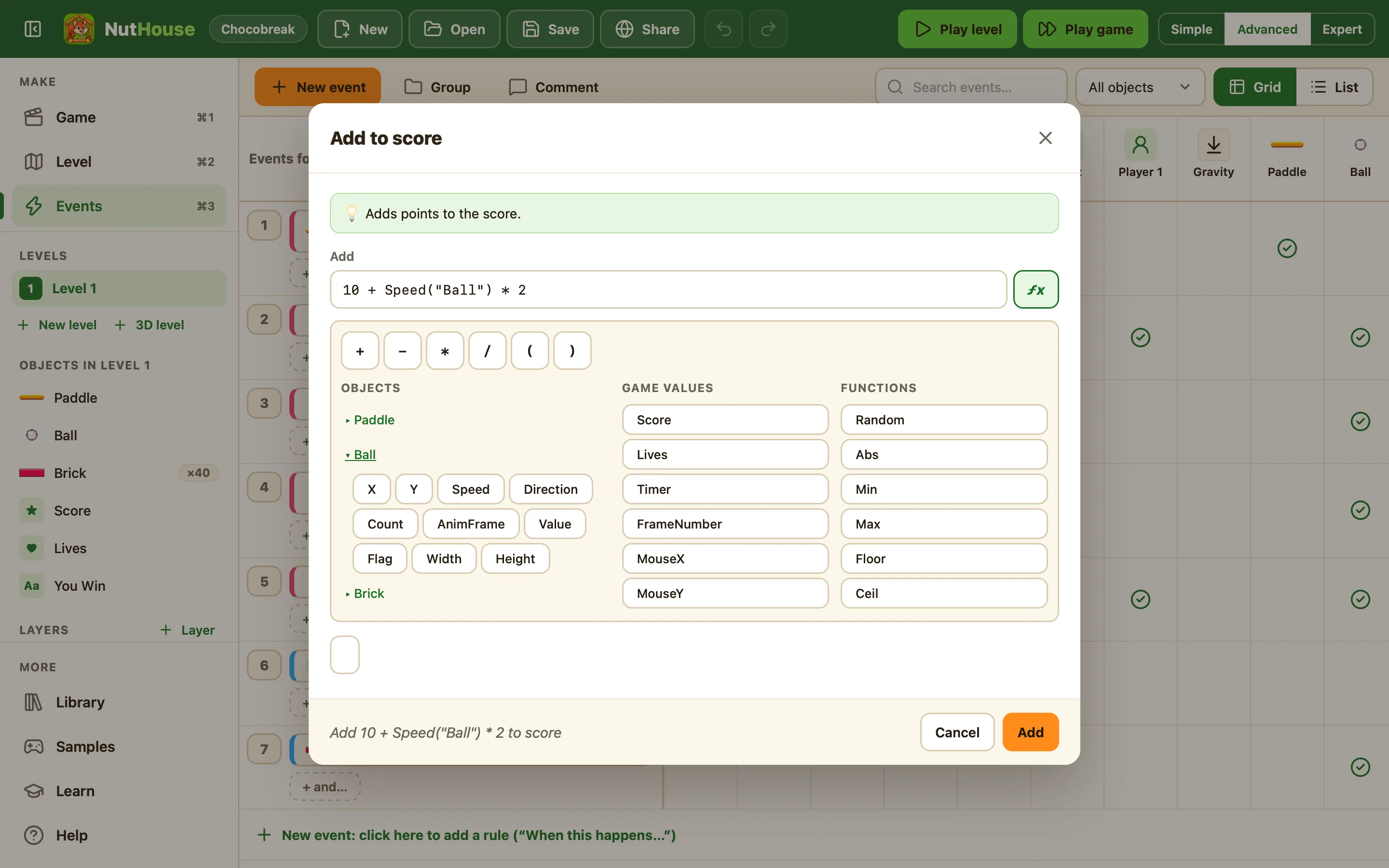
10 + Speed("Ball") * 2. The ƒx helper shows every object, value and function with an example.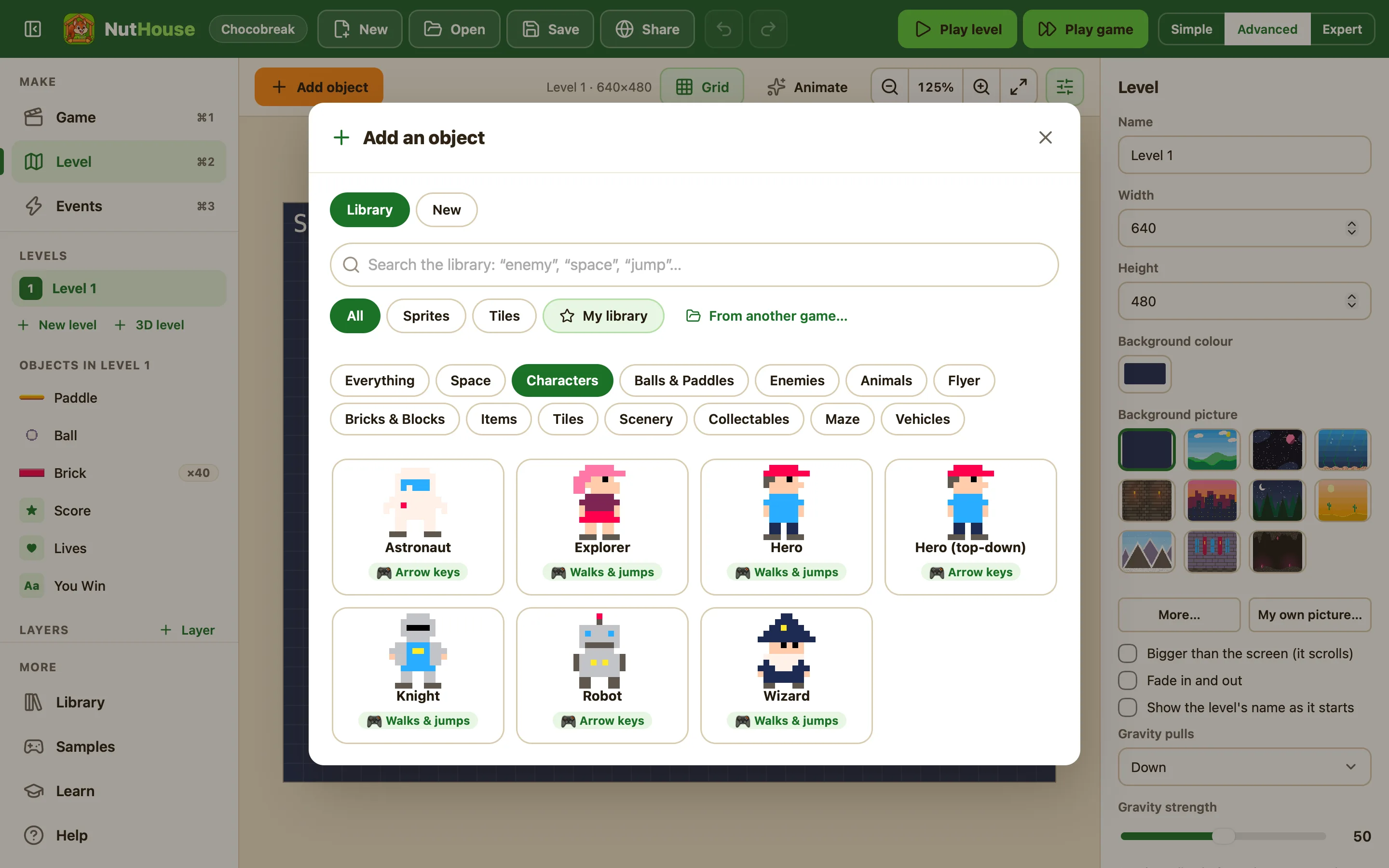
04 Go bigger
3D mazes. Scrolling worlds. Two players.
NutHouse started with bat-and-ball and platform games. It now does the whole 1990s game-maker box of tricks, and the ideas are still the same: sprites, levels and rules.
Scrolling levels
Make a level wider or taller than the screen and the screen follows your hero. Backgrounds repeat along as you go.
Two players
One keyboard, two sets of keys, two scores, two lives. Race a friend or team up.
Teach me
Press Teach me while playing. When two sprites touch and no rule says what should happen, NutHouse stops and asks you, then writes the rule.
Saving and high scores
Rules that save the game and load it back. A high score table that asks for your name.
Ladders, music, pause
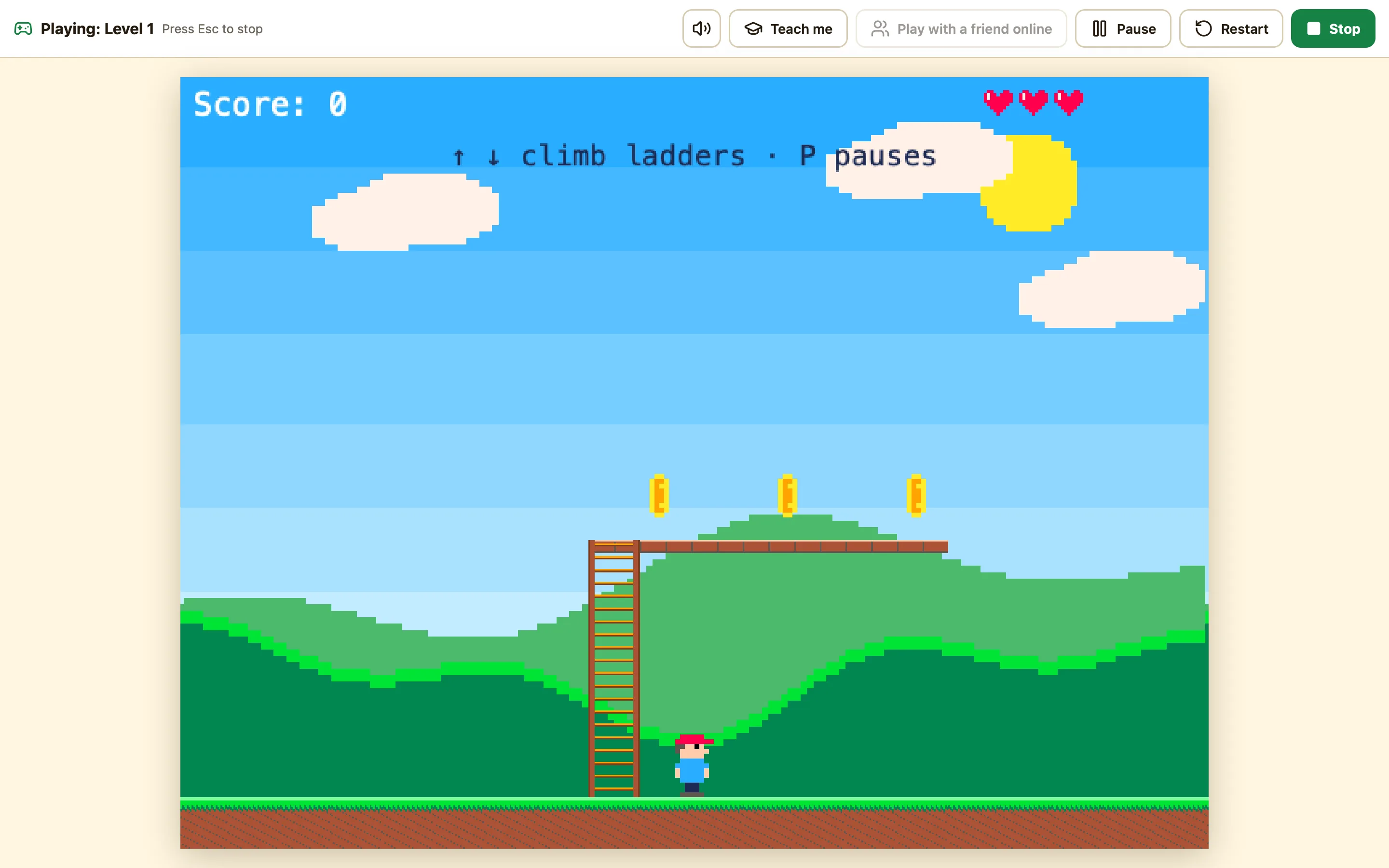
Climb ladders in platform games, loop a tune, pause with a key, fade levels in and out.
Questions, text boxes, buttons
Ask a question with answers to pick, let the player type a name, tick a box. Enough to build a quiz before tea.
05 Rules you can read
If you can say it, you can build it.
A NutHouse rule has two halves. When something happens, do something about it. That is the whole trick, and it is the same trick inside every game ever made.
92 things a rule can wait for. 129 things it can do. Mix them any way you like.
See every condition and action
06 Grows with you
Start simple. Switch on more when you are ready.
Three modes change how much NutHouse shows you. Nothing you make is ever hidden; the modes only trim the menus.
Simple
Just the main pieces. Great for starting out.
Sprites, blocks, score, lives, text, timers, buttons, questions, high scores and spawners. The rules that matter: collisions, key presses, leaving the screen, timers, music, pause, scrolling, two players.
Advanced
More events, movements and objects.
Counters, health bars and text boxes. Racing cars, first-person 3D, paths, follow-the-mouse. Compare positions, speeds and animations. Saving, global values, shake the screen.
Expert
Everything: formulas, values, switches and groups.
Every object gets its own values and switches. Group rules and turn them on and off. Write formulas with Random, Distance and friends.

07 Learn by making
Make Chocobreak in 20 minutes.
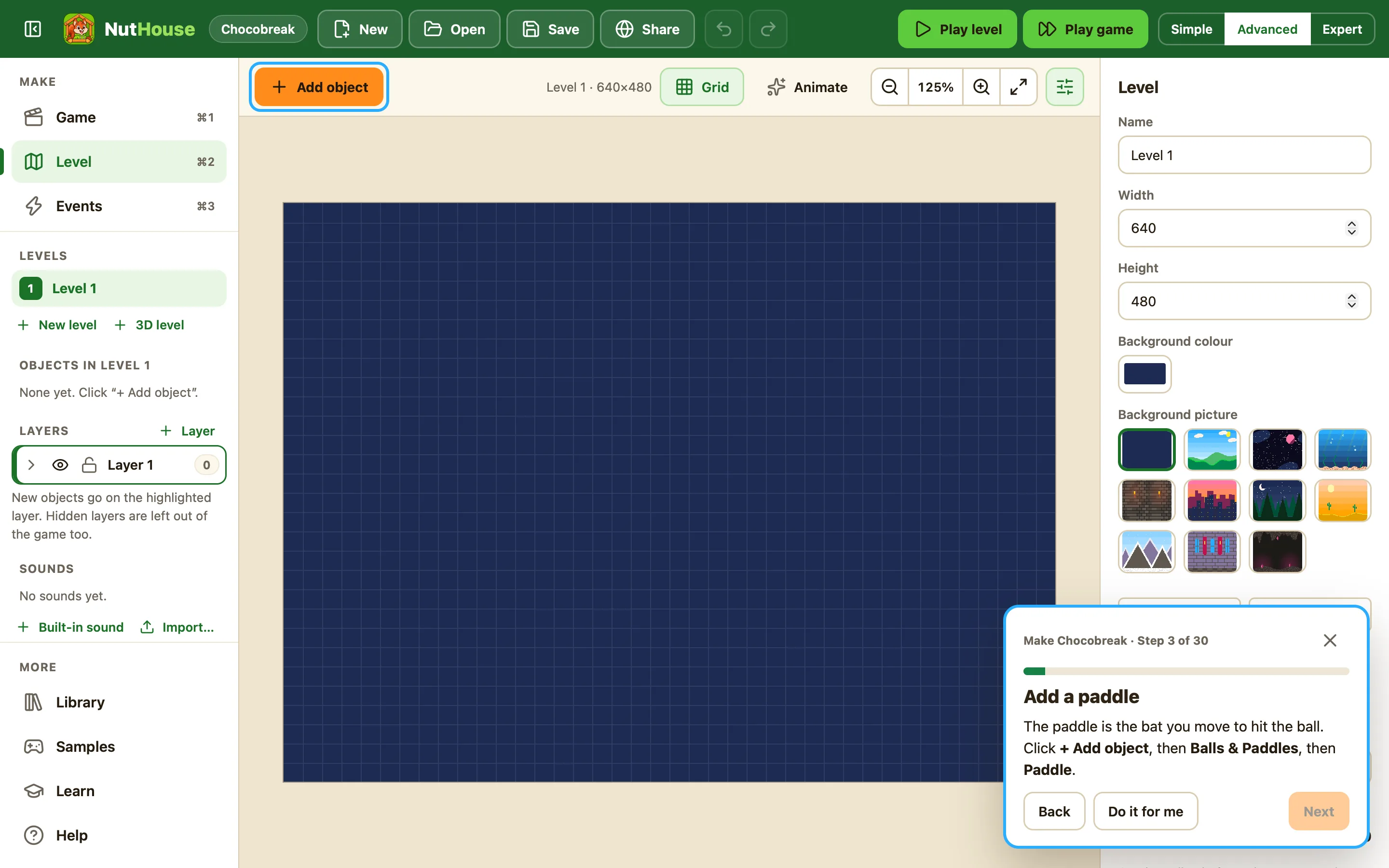
The built-in tutorial walks you through a whole bat-and-ball game, one step at a time. A spotlight shows exactly what to click. Stuck? Press Do it for me, watch it happen, then press ⌘Z and try it yourself.
- 30 short steps, each one a real part of the game
- Hints when you want them, never nagging
- Every rule explained in words a 10-year-old can read
- It ends with “You made a game! 🎉” and a Share button
08 Share it
One file. Send it to anyone.
Press Share… and NutHouse makes a single web page with your whole game inside: the engine, the pictures, the sounds. It opens in Safari, Chrome, on a phone, on Grandad’s laptop. No internet, no app store, no account.
- Plays from a double-click
- Nothing to install for the person you send it to
- Usually under half a megabyte

For grown-ups
Why NutHouse exists.
Some of us learned to program by making games in the 1990s with tools like The Games Factory. The ideas were simple and the feedback was instant. NutHouse brings that back for a new generation, right in the browser, with original art.
Real programming ideas
Conditions and actions, values and comparisons, timers, counters, loops through groups of objects. Kids learn how programs are built without fighting a text editor.
Private by design
You can start making straight away with no account and no sign-in. A grown-up can choose to make an account later, and even then a game stays private until you share it. No adverts, no tracking scripts, no chat. Read the privacy page.
Hard to lose work
Autosave every 30 seconds and when you close the page. Undo and redo for everything, including deleting a level. The Welcome screen offers to get unsaved work back.
Nothing to install
It runs in any modern browser, on a laptop, a Chromebook or an iPad. Keyboard shortcuts, undo, and touch controls for tablets are all built in.
Original art only
Every sprite, background and sound in the library was drawn and synthesised for NutHouse. Use them in your games however you like.
Kid-friendly words
Levels, not frames. Sprites, not actives. Rules, not event sheets. Every hint is written for a reading age of about ten, in plain British English.
Get started
Free, and online.
NutHouse runs in your browser, so there is nothing to install. Open it, start with the Chocobreak tutorial, and make your first game in about twenty minutes.
Works in Safari, Chrome, Edge and Firefox, on a computer, a Chromebook or an iPad.
Questions
Things people ask.
What age is NutHouse for?
It was made for an eleven-year-old, and the words are kept at about a ten-year-old’s reading level. Younger children do well with a grown-up alongside. Simple mode hides the complicated parts until they are wanted.
Does it need the internet or an account?
It needs the internet, because NutHouse runs in your browser at app.playnuthouse.com. It does not need an account to start. A grown-up can make a free account so games are saved online, shared with a link, put in the gallery, or played with a friend over the internet.
Can we use our own pictures and sounds?
Yes. Import a picture or a whole sprite sheet into the sprite editor, use your own picture as a level background, and import your own sound files. There are 23 built-in sounds and tunes too.
Does it work on Windows, iPad or Chromebook?
Yes. The whole editor runs on anything with a modern browser, including Macs, Windows laptops, Chromebooks and iPads. Games you share are single web pages, so they play anywhere, and on a touch screen they show an arrow pad and buttons.
Where are my games saved?
Online in My games when a grown-up has made an account. Without one, Save keeps a .nuthouse file on your computer: plain JSON, easy to back up and keep forever. NutHouse also autosaves every 30 seconds in case something goes wrong.
Can we make a 3D game?
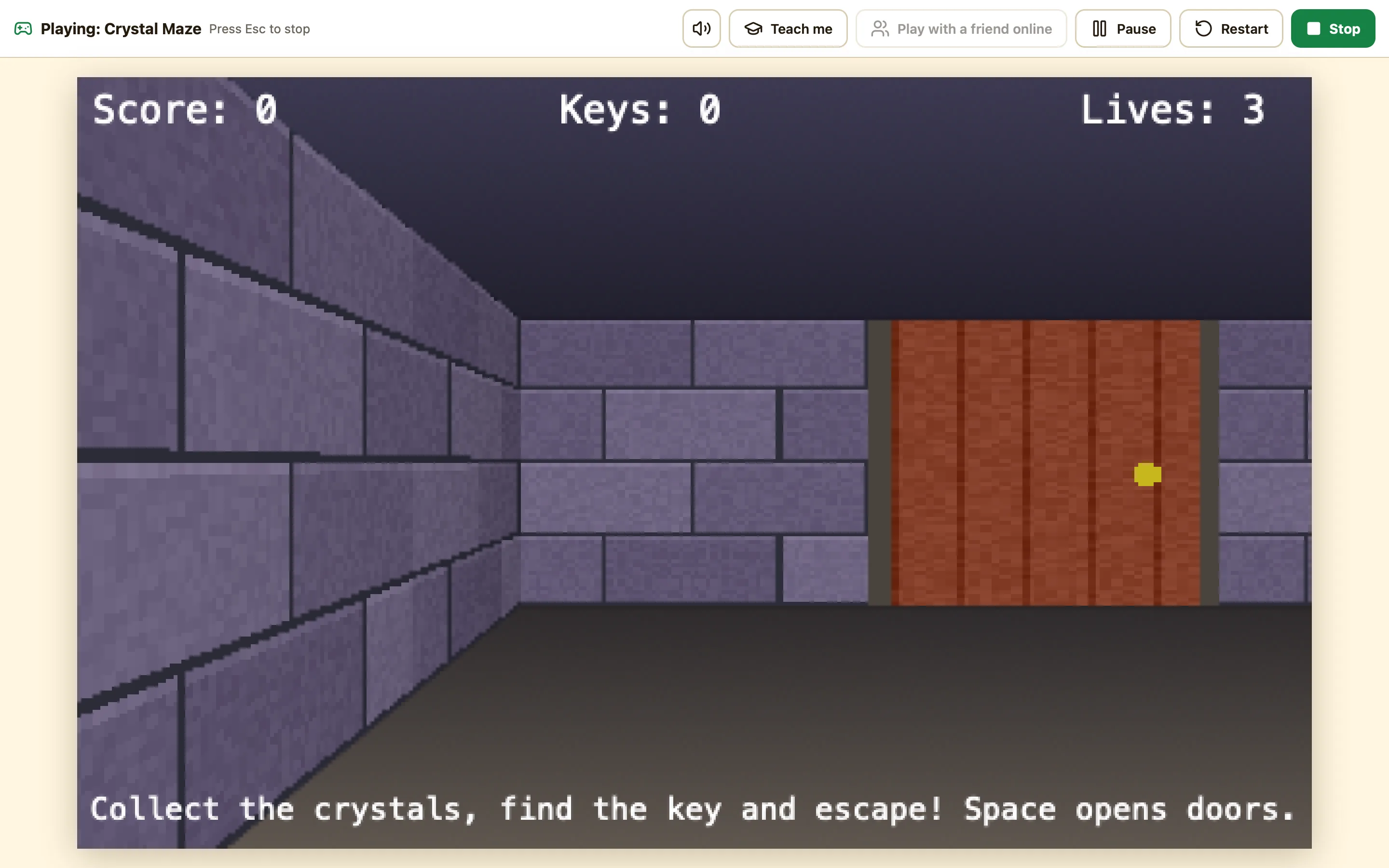
Yes. A 3D level is a maze you paint on a grid, then walk through in first person, like the corridor games of the 1990s. Doors, locked doors, keys and chasing ghosts all work. Try Crystal Maze 3D above.
Can two people play at once?
Yes. Tick Two players on one keyboard in the game settings. Player 2 gets their own keys, score and lives, and their own column in the rules.
Is the built-in art ours to use?
Yes. All the sprites, backgrounds and sounds were made for NutHouse. Use them in the games you make and share.
Stop wishing. Start making.
Open NutHouse, do the Chocobreak tutorial, and send your first game to someone before dinner.
